Frontage
Chrome extension

Your business is already on Google.
One click puts it on the web.

Frontage reads the business on your screen — name, hours, photos, reviews, the lot — and builds a live, responsive website from it. No template to pick. No copy to write.

Add to ChromeBuild on the webSee what it builds

Free to install · See everything it captured before you pay · Plans from $8/month

Chrome extensions install on a computer only. On a phone you can build the same sites from the web — the one-click capture is what waits for your desktop.


google.com/search?q=luna+coffee+san+francisco
luna-coffee.example · Coffee shopLuna Coffee — Fillmore Street, San Francisco
Luna Coffee
4.7 ★★★★★ · 312 reviews · Coffee shop · $$
Café interior with tables and a service counterCafé storefront with pavement seating
2431 Fillmore St, San Francisco, CA 94115Open · 7:00 AM – 6:00 PM(415) 555-0148
WebsiteDirectionsCall
M
Maya R. ★★★★★ · 2 weeks ago
“Best oat flat white in the Fillmore. The cardamom buns sell out by ten, so go early.”
FrontageBusiness found
Build my website
10 fields captured from this page
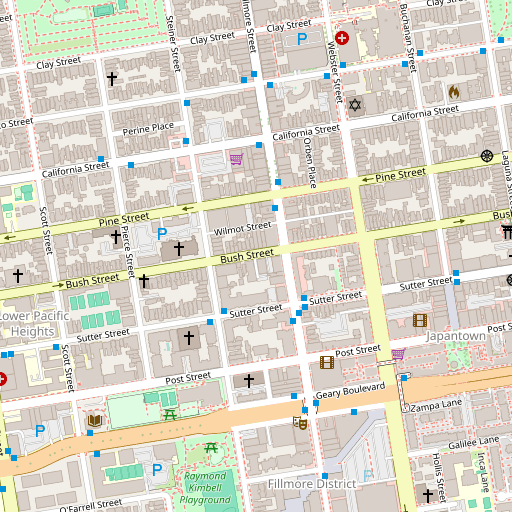
Map of Fillmore Street, San Francisco, with the business pinned37.7869, −122.4341Open in Maps© OpenStreetMap
Photos pulled48 found
Café interior with tables and a service counterCafé storefront with pavement seatingTwo lattes with poured art, held over a tableEspresso machine and grinder on the counterFilter coffee being poured+43
NameLuna Coffee
HoursMon–Sun 7–6
Rating4.7 · 312 reviews
TableJSONEdit
No copy to writeNo template to chooseNo hosting to set upNothing to type but the business name
How it works

Three steps. That's the whole product.

Install it once. After that, getting a website is the same three seconds every time.

1Install the extensionOne click from the Chrome Web Store. Sign in with Google and you're set up — that happens once, not per site.
2Search the business on GoogleAny business page will do. When there's something to read, the toolbar icon lights up with the number of fields it found.
3Click Frontage. That's it.It builds the site while you close the tab. The icon tracks progress, and turns green with a link the moment it's live.
chrome.google.com/webstore
FrontageAdd to ChromeThen sign in with Google once. Your sites stay tied to your account.
What it reads

You already wrote your website. It's on your Google listing.

Frontage captures the page, pulls the fields out, and shows you exactly what it got before it builds anything. Wrong phone number? Fix it in the popup, or copy the raw JSON out.

Business nameCategoryAddressPhoneWebsiteRating & reviewsOpening hoursPrice rangePhotosDescriptionCoordinates → map
What lands

A real site, not a placeholder page.

Built mobile-first. Most people find a local business on a phone, so that's the view it's tuned for.
Your photos, your reviews. The images from the listing, laid out as a gallery. Real ratings, not lorem ipsum.
Call, directions, hours. The three things visitors actually want, above the fold, wired up.
Yours to change. Open it in the Frontage builder, chat an edit, publish again.
Build mine now
9:41
Luna Coffee
Single-origin, open at 7.
A neighbourhood coffee bar on Fillmore Street. Pastries baked on site.
Call nowDirections
Café interior with tables and a service counterCafé storefront with pavement seatingTwo lattes with poured art, held over a tableEspresso machine and grinder on the counter
HoursMon – Fri 7:00 – 18:00Sat – Sun 8:00 – 17:00
Map of Fillmore Street, San FranciscoOpen in Maps© OpenStreetMap

The other two ways to get a website

Both of them work. Both of them cost you a week you don't have.

Hire someoneTimeTwo to six weeks of back and forthCostFour figures, plus changes laterYou supplyCopy, photos, feedback, chasing
Do it yourselfTimeA weekend, then it sits half-finishedCostA monthly bill either wayYou supplyTemplate taste, copywriting, patience
This oneFrontageTimeOne click, then minutesCost$8/mo billed annually — about 15 sitesYou supplyNothing. It's already on your listing.

Before you install

The page you're looking at. Frontage captures the open tab, reads the business details out of it, and shows you the fields it found before building anything.

Search your own business. See what it builds.

Install takes a click. You'll see everything it pulled off your listing — fields, photos, the map pin — before you pay for anything.

Add to ChromeBuild on the web

From $8/month · Sign in with Google · Uninstall in two clicks